Getting Started•
4 min read
•
Updated October 2026

Getting Started with CATTAB

Welcome to CATTAB. This onboarding walkthrough guides you through the foundational layout of your workspace so you can begin organizing clients, projects, and finances immediately.
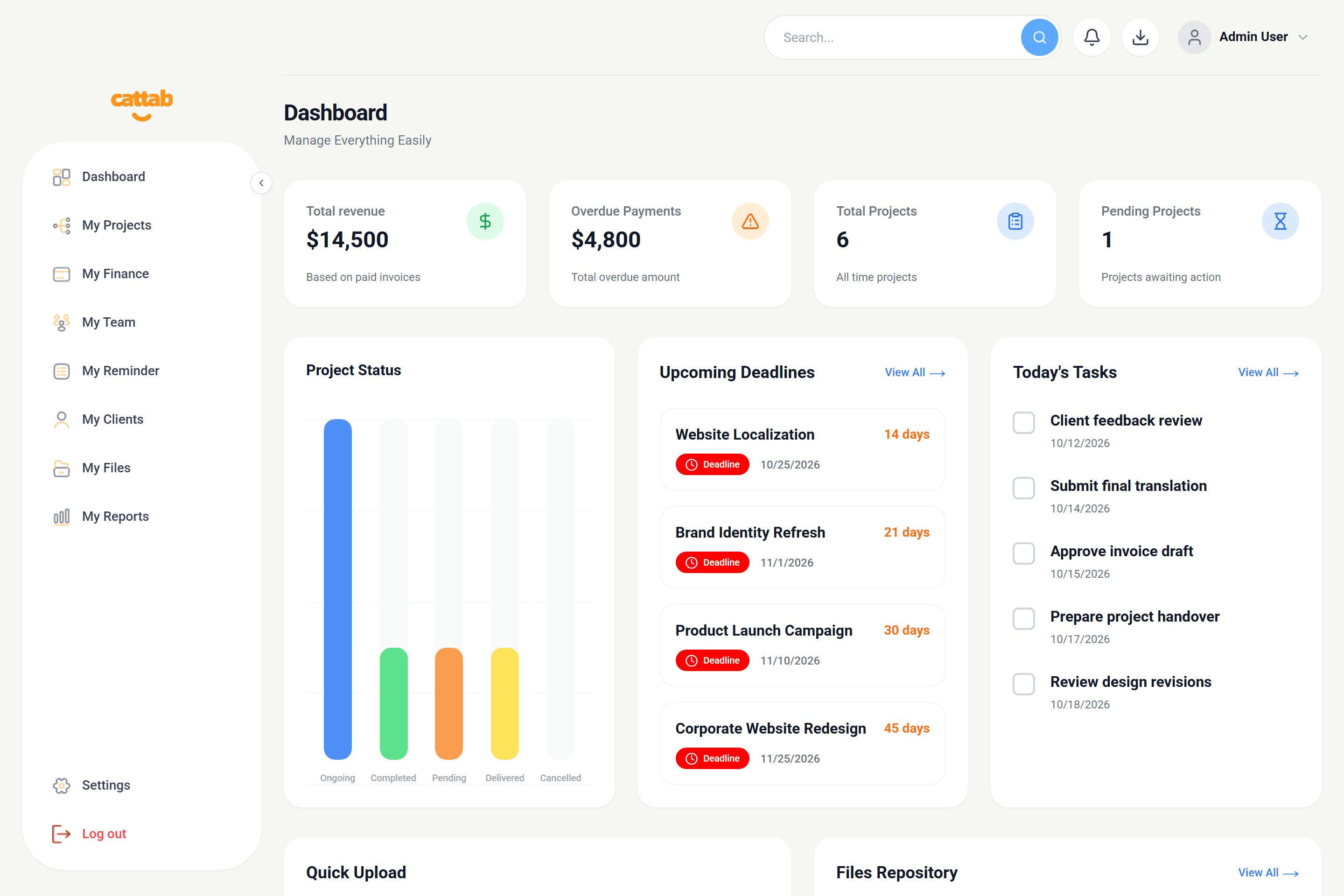
CATTAB workspace dashboard overview
CATTAB main interface showing high-level operational metrics and quick navigation.

1. Navigating the CATTAB Sidebar

Your CATTAB workspace features a persistent navigation panel on the left side that organizes your operational workflow into specialized functional modules.

1Dashboard: Your central hub for high-level revenue stats, urgent deadlines, and daily tasks.
2My Projects: Create, track, and filter active client projects, word counts, and deliverables.
3My Finance: Manage rate cards, client invoices, business expenses, and vendor payee portals.
4My Team: Maintain in-house staff and external freelance linguists with rates and payment details.
5My Reminder: Organize tagged to-do checklists and track milestone completion.
6My Clients: Directory of corporate, SMB, startup, and individual clients with default currencies.
7My Files: Categorized document storage for project deliverables and assets.
8My Reports: Visual charts for revenue trends, overdue jobs, and service breakdowns.
9Settings: Business profile, invoice/quote templates, theme colors, and role permissions.

2. Recommended First-Day Workflow

To get the most out of CATTAB on your first day, we recommend completing setup in this specific sequence:

1Step 1: Go to Settings > General to set your business name and upload your logo.
2Step 2: Add your standard rate cards under My Finance > Rate Cards.
3Step 3: Create your primary client profiles under My Clients.
4Step 4: Launch your first deliverable using the Create Project button in My Projects.
Pro Tip

Setting your default billing currency and unit in advance ensures all new client records and projects populate automatically.

Was this guide helpful?

Have feedback or need assistance with your setup? We're here to help.

Get Started with CATTAB

Run your client work from one clear workspace.

Bring projects, client records, team capacity, and finances into a unified operating platform built for fast-moving service businesses.